Azpen Home with USB port
Product Images
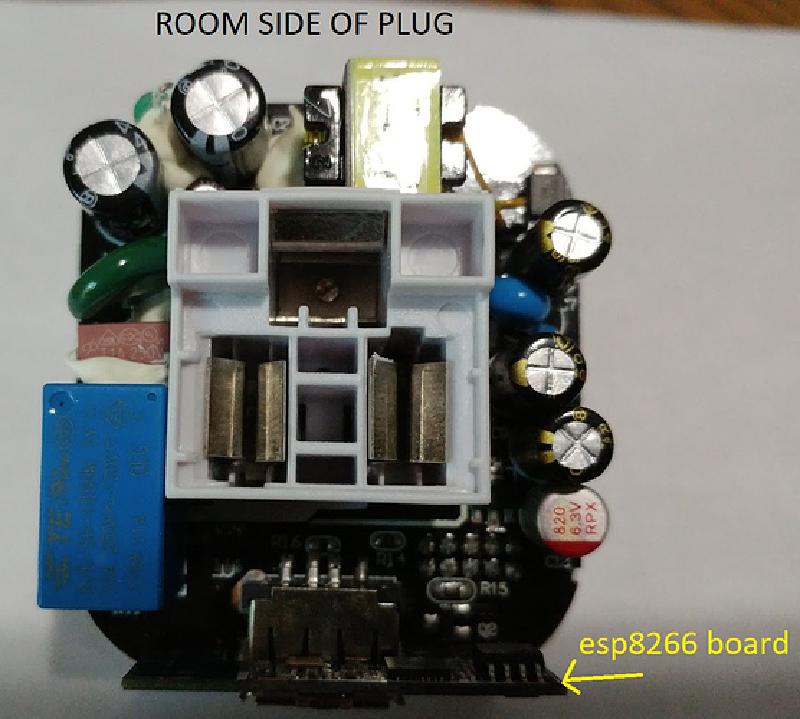
Wall side of relay board
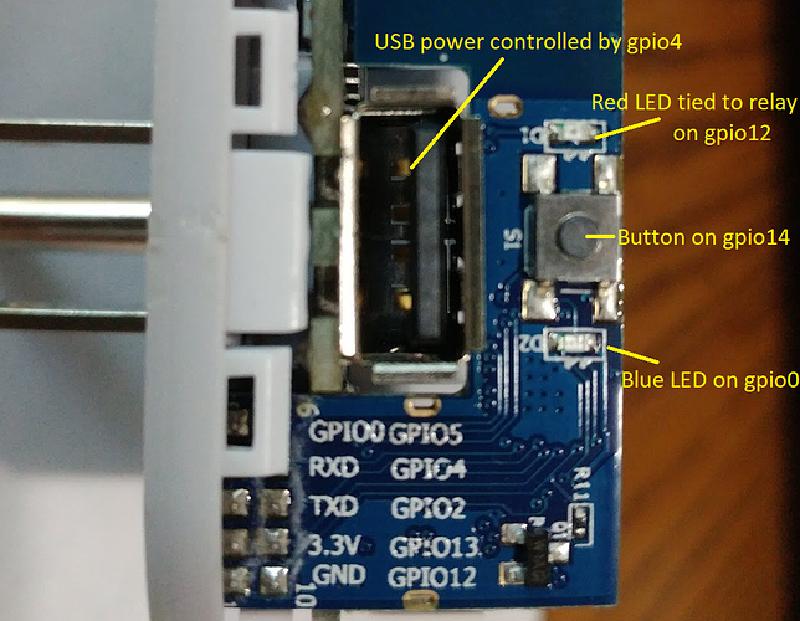
 Socket side of relay board
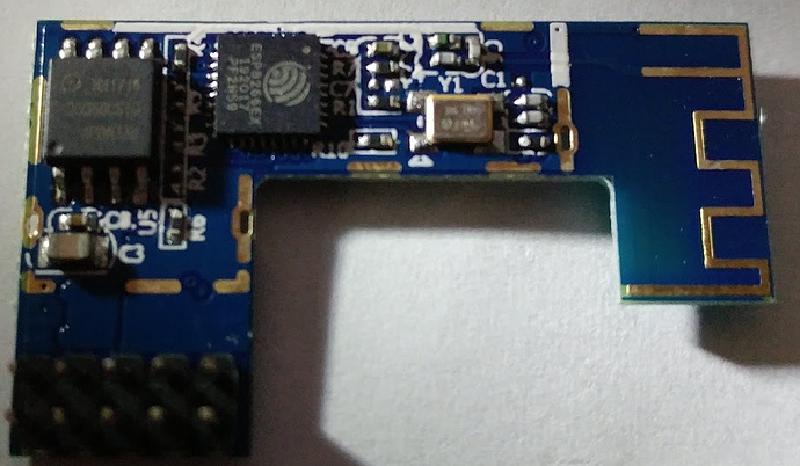
ESP8266 board
GPIO Descriptions
GPIO Pinout
| Pin | Function |
|---|---|
| GPIO0 | BLue Status LED |
| GPIO4 | USB Relay |
| GPIO12 | Mains Relay (with Red LED) |
| GPIO14 | Switch Input |
Basic Configuration
# Basic Config
esphome:
  name: azpenhome
esp8266:
  board: esp01_1m
wifi:
  ssid: !secret wifi_ssid
  password: !secret wifi_password
  ap:
# Enable Logging.
logger:
# Enable Home Assistant API.
api:
# Enable over-the-air updates.
ota:
# Enable WEB server for status and updates.
web_server:
  port: 80
# Button on top of plug.
binary_sensor:
  - platform: gpio
    pin:
      number: GPIO14
      mode: INPUT_PULLUP
      inverted: True
    name: "Relay Button"
    on_press:
      - switch.toggle: relay
# Status LED for blue light.
status_led:
  pin:
    number: GPIO0
    inverted: true
switch:
  # Main relay
  - platform: gpio
    name: "Relay"
    pin: GPIO12
    id: relay
  # USB Relay
  - platform: gpio
    name: "USB Relay"
    pin: GPIO4
    id: usbrelay