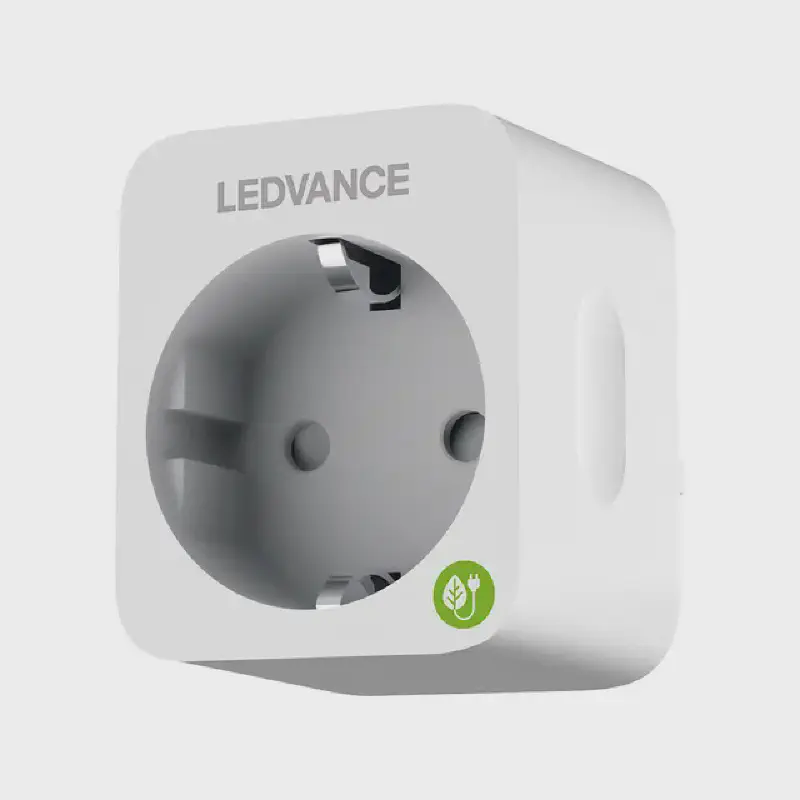
LEDVANCE SMART PLUS PLUG EU
Overview
LEDVANCE SMART PLUS PLUG EU based on BK7231T chip (WB2S). Can be flashed with esphome kickstart via tuya-cloudcutter. On publish date you need to use ESP-Home beta to build bk72xx targets. voltage_divider and current_resistor are estimated.
Product Image
GPIO Pinout
| Pin | Function |
|---|---|
| GPIO6 | Button |
| GPIO7 | BL0937CF |
| GPIO8 | BL0937CF1 |
| GPIO10 | LED inverted |
| GPIO24 | Relay |
| GPIO26 | BBL0937SEL |
Basic Configuration
# LEDVANCE SMART+ PLUG EU
substitutions:
  device_name: ledvance-smart-plug
  device_name_letters: ledvancesmartplug
  device_description: LEDVANCE SmartPlus Plug
  friendly_name: LEDVANCE SmartPlus Plug
  update_interval_seconds: "30s"
esphome:
  name: ${device_name}
  comment: ${device_description}
bk72xx:
  board: wb2s
# Enable logging
logger:
# Enable Home Assistant API
api:
  encryption:
    key: ""
ota:
  password: ""
# Enable Web server
web_server:
  port: 80
# Sync time with Home Assistant
time:
  - platform: homeassistant
    id: homeassistant_time
# WiFi connection
wifi:
  ssid: !secret wifi_ssid
  password: !secret wifi_password
  ap:
    ssid: ${device_name}_fallback
    password: !secret ap_password
    ap_timeout: 1min
  use_address: ${device_name}.local
captive_portal:
text_sensor:
  - platform: wifi_info
    ip_address:
      name: ESP IP Address
    ssid:
      name: ESP Connected SSID
    bssid:
      name: ESP Connected BSSID
    mac_address:
      name: ESP Mac Wifi Address
light:
  - platform: status_led
    name: "led"
    internal: true
    id: led
    pin:
      number: P10
      inverted: true
binary_sensor:
  - platform: gpio
    pin:
      number: P6
      inverted: true
    id: button1
    filters:
      - delayed_on: 10ms
      - delayed_off: 10ms
    on_click:
      - switch.toggle: outlet
  - platform: status
    name: ${friendly_name} status
switch:
  - platform: gpio
    name: ${friendly_name} Outlet
    id: outlet
    pin: P24
    icon: mdi:power-socket-eu
    on_turn_on:
      - light.turn_on: led
    on_turn_off:
      - light.turn_off: led
  # Switch to restart the plug
  - platform: restart
    name: ${friendly_name} Restart Switch
#
# power monitoring
#
sensor:
    # PC191HA includes a BL0937 chip for measuring power consumption
    #     and BL0937 is a variation of hlw8012, but using inverted SEL pin functionality
  - platform: hlw8012
    model: BL0937     # note that the model must be specified to use special calculation parameters
    sel_pin:          # I believe that cf_pin reports either Voltage or Current depending on this select pin
      inverted: true  # determine whether true reports Voltage
      number: P26
    cf_pin:           # current or voltage (ele_pin: 7)
      inverted: true  # the logic of BL0937 is opposite from HLW8012
      number: P7
    cf1_pin:          #  Power (vi_pin: 8)
      inverted: true  # the logic of BL0937 is opposite from HLW8012
      number: P8
    update_interval: $update_interval_seconds # How often to measure and report values
    # PC191HA measures and returns Voltage OR Current according to the value of sel_pin,
    #     but it can change the value of sel_pin periodically
    initial_mode: "VOLTAGE"             # reports VOLTAGE or CURRENT
    change_mode_every: "4294967295"            # do NOT swap between reporting Volts or Amps (well, swap after 4000 years)
        #   reporting Voltage or Current. Note that the first value reported should be ignored as inaccurate
    # Adjust according to the actual resistor values on board to calibrate the specific unit
    voltage_divider:  "4456"               # LOWER VALUE GIVES LOWER VOLTAGE
    current_resistor: "0.00045"          # HIGHER VALUE GIVES LOWER WATTAGE
# how the power monitoring values are returned to ESPHome
    voltage:
      name: $friendly_name Voltage
      id:   ${device_name_letters}_voltage
      unit_of_measurement: V
      accuracy_decimals: 1
      filters:
        - skip_initial: 2
    power:
      name: $friendly_name Power
      id:   ${device_name_letters}_power
      unit_of_measurement: W
      accuracy_decimals: 2
      filters:
        - skip_initial: 2
    # power is simply current x voltage -- except that the pc191ha doesn't follow that formula.
        # Setting current_resistor to give an accurate Amperage does NOT also give the correct Wattage
        # my work-around is to calculate current from power / voltage
  - platform: template
    name: $friendly_name Current
    id:   ${device_name_letters}_current
    unit_of_measurement: A
    accuracy_decimals: 2
    update_interval: $update_interval_seconds
    lambda: |-
      return (id(${device_name_letters}_power).state / id(${device_name_letters}_voltage).state);
    filters:
      - skip_initial: 5     # give time for data to settle to avoid NaN
  - platform: uptime
    name: ${friendly_name} Uptime
    unit_of_measurement: minutes
    filters:
      - lambda: return x / 60.0;
  - platform: wifi_signal
    name: ${friendly_name} Signal
    update_interval: 60s